Turn Any Topic into Clear, Labelled Study Diagrams
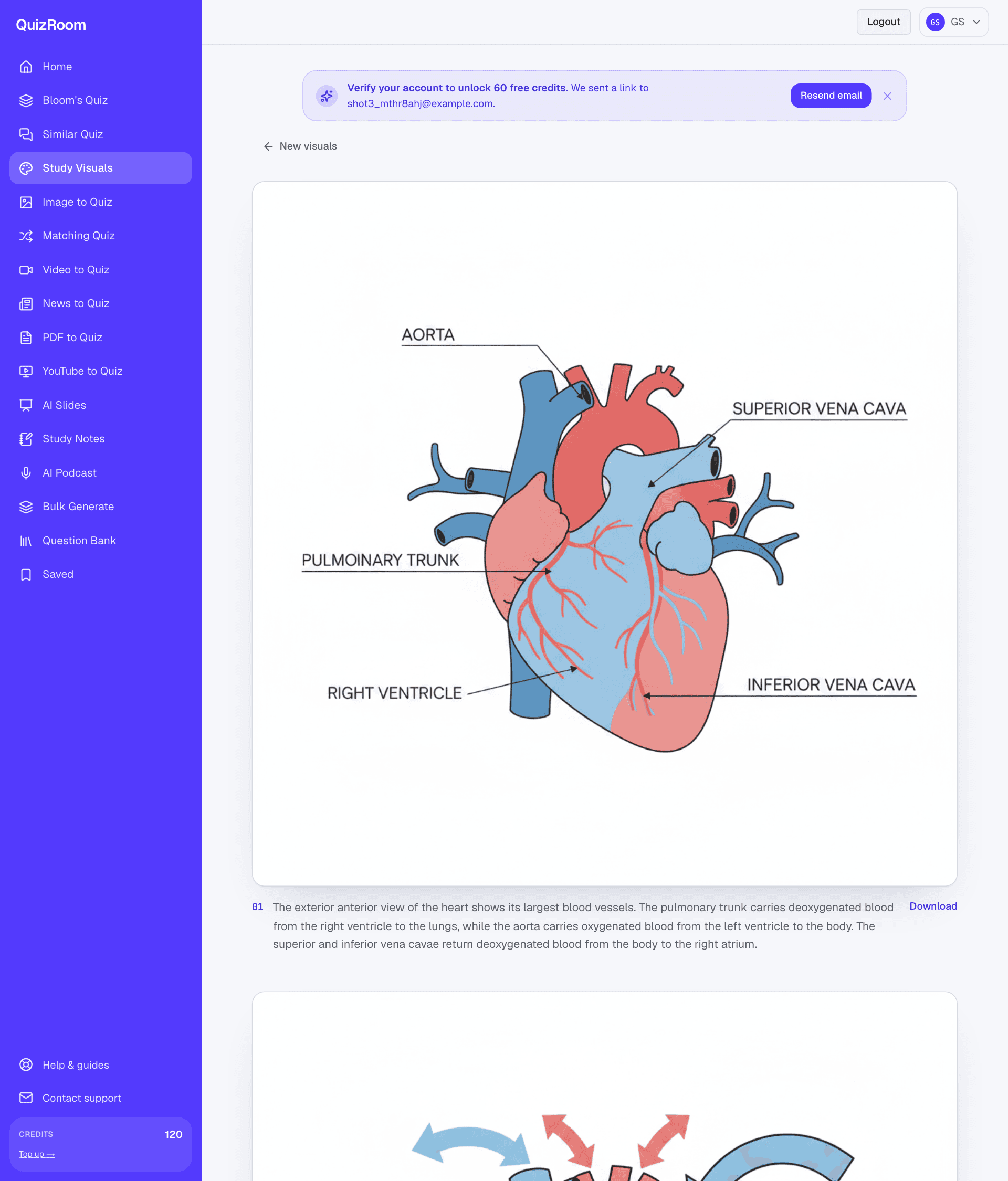
Some things are far easier to learn as a picture than a paragraph — the chambers of the heart, the stages of the water cycle, the parts of a cell. A study diagram generator turns a topic into a set of clean, labelled visuals you can revise from. The catch: AI image models are brilliant at the picture and unreliable at the text on it, so the design has to account for that. This guide shows how QuizRoom does it — and how to use the result well.
- ✓Enter a topic (or paste notes) and get a set of clear, labelled educational diagrams — not decorative art.
- ✓Each visual comes with a plain-language caption that is the authoritative, correctly-spelled reference.
- ✓Styles include labelled diagram, infographic, realistic and whiteboard — pick what suits the concept.
- ✓Diagrams pair naturally with notes and a self-test on the same topic for active revision.
What makes a study visual actually useful
A study visual earns its place when it makes a concept quicker to grasp than the text would — and doesn't mislead. That means:
- ●Accurate structure. The parts and their relationships are right — colour-coded and clearly laid out.
- ●Clear labels where they help, kept short so they stay legible.
- ●An authoritative caption. Because image models can misspell a rare technical term, the caption carries the correct naming and explanation.
- ●A consistent style across the set, so a topic reads as one coherent study sheet.
How QuizRoom generates your visuals
QuizRoom first plans the set — it writes a short, fixed style guide and a caption for each visual, then generates the images to match. The caption is written by the language model and is always correct; the image carries the picture and short labels. Read the two together and you have a revision-ready visual whose naming you can trust — even if a label on the image itself is imperfect.
The set is planned as text first — an accurate caption per visual — then the images are drawn to match, so the naming is reliable.
Every image model, including the best, occasionally garbles a rare technical label (“mitochondrion” is a classic). That's why each visual ships with a caption written in text — the caption is your source of truth for names and definitions, the picture is for understanding the structure.
Make your visuals in three steps
- 1Name the topic
Type a topic — “the structure of the human heart” — or paste a passage from your notes.
- 2Pick a style and count
Choose labelled diagram, infographic, realistic or whiteboard, and how many visuals to build.
- 3Study or download
Each visual appears full-size with its caption. Download the images or keep them on screen while you revise.
Turn the visual into recall
Looking at a diagram is understanding; naming its parts from memory is recall. Generate a quick quiz or a set of study notes on the same topic and you move from recognising the picture to reproducing it — which is what the exam asks for.
Is the study diagram generator free?
Yes — new accounts get 60 free credits after a quick email verification; each visual costs a few credits, so you can build several sets on the free grant.
Are the labels on the diagram always correct?
The picture and its structure are accurate; short labels are usually right but can occasionally misspell a rare term. The caption under each visual is written in text and is always the correct, authoritative reference.
What styles can I choose?
Labelled diagram, infographic, realistic illustration and whiteboard-sketch — pick the one that suits the concept you're studying.
Can I use my own notes as the source?
Yes — paste a passage instead of a topic and QuizRoom will illustrate exactly what your material covers.
Turn a topic into study diagrams
Enter a topic and get clean, labelled visuals with correct captions to revise from. Free with 60 credits.
Start free — 60 creditsInstructional designer focused on retrieval practice and item quality. Writes QuizRoom's guidance on distractor design, Bloom's alignment and question validity.